

Branch
Branch is a mobile measurement platform specializing in deep linking and cross-platform attribution. Advertisers integrated with Branch can send attribution and in-app conversion data to CJ through automated post-backs configured in Branch's Partner Management console — covering traffic from standard affiliate links through to universal links and email-to-app journeys.
For any Advertiser who is enabling CJ for first time, the template will automatically be set to send CJ s2s calls. If you completed a Button integration before November 2020 and needs to make any tracking updates to your postbacks click here
CJ Affiliate Template
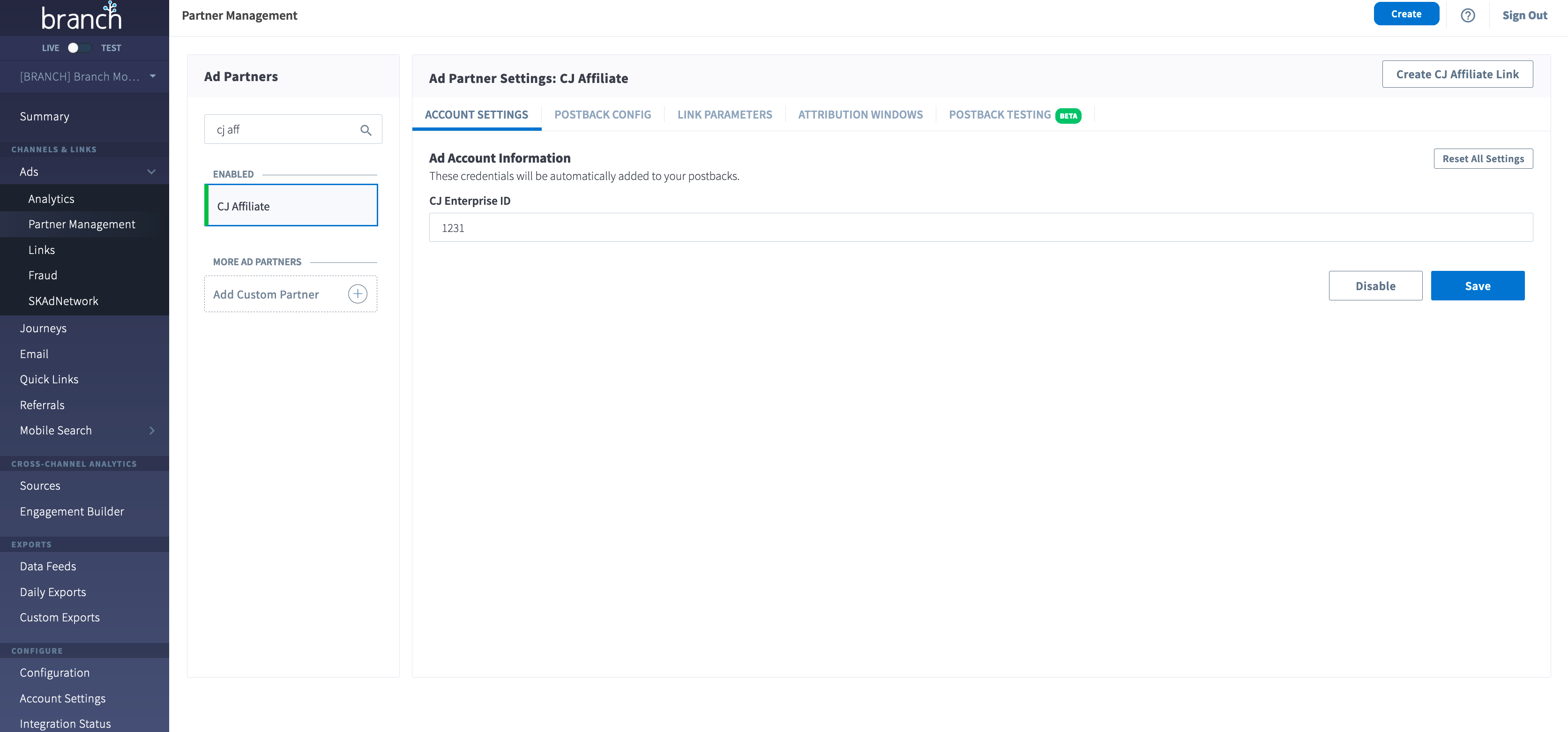
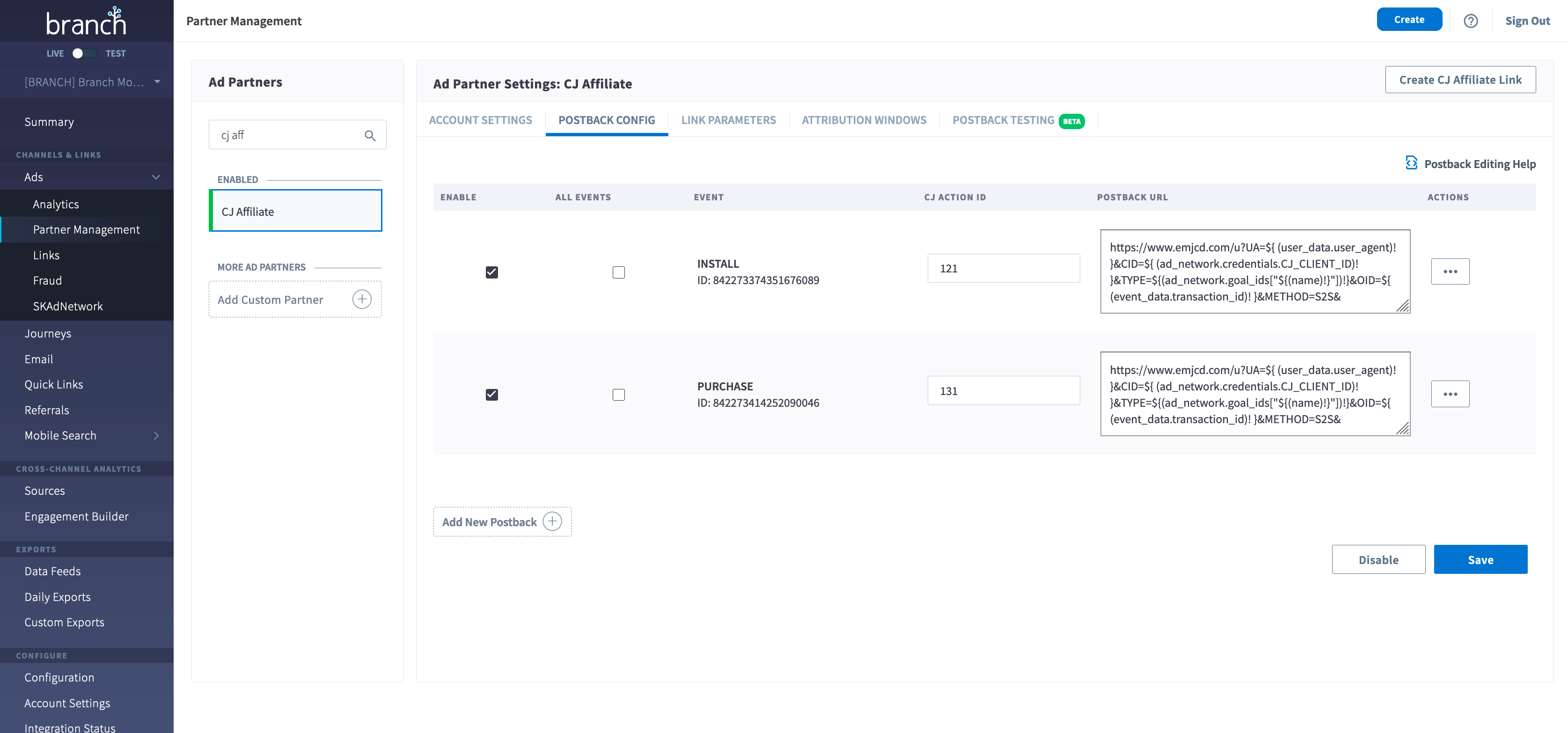
Postback Setup
Note: The available events listed in the POSTBACK CONFIG page are pulled from what is made available to Branch within the SDK/App Code
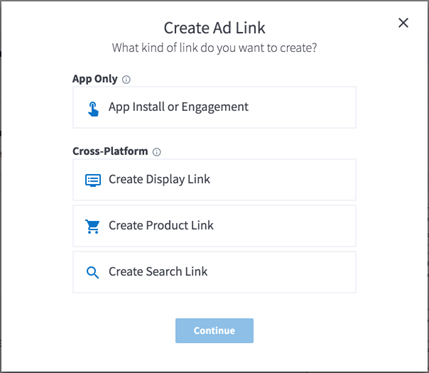
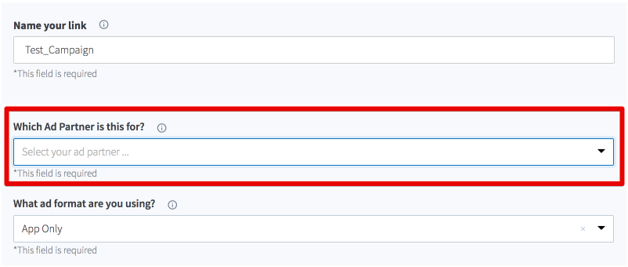
Link Setup
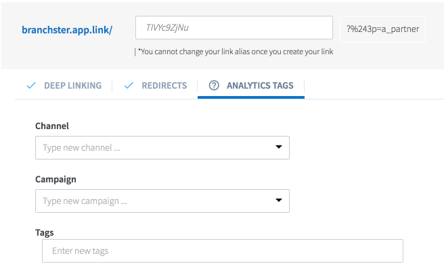
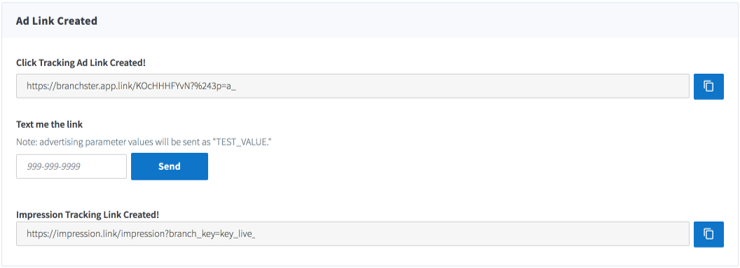
Existing Account Updates
If you completed the integration before November 2020 and need to make any tracking updates to your post-backs you will need to update the template so that data can be sent to the CJ s2s endpoint. For the changes to reflect on existing account integrations, please follow the below steps:
1. Navigate to Ads -> Partner Management on Branch dashboard
2. Search for CJ Affiliate
3. Please note down the list of postbacks that are enabled so you can re-enable them once you re-set the integration.
4. Click on reset-all settings.
5. Once this is done, you can click Save and Enable. This will refresh the integration.
6. You can add your required post-backs, which were enabled earlier.
7. Please note: If CJ is providing any custom mapping (i.e sending parameter names that don't follow CJ's standard naming conventions) this functionality will no longer be available if you reset your template.
Updated 3 months ago